


Understanding AirTag Apple Mechanics: Connectivity, Battery Limits, and Tracking Diagnostics
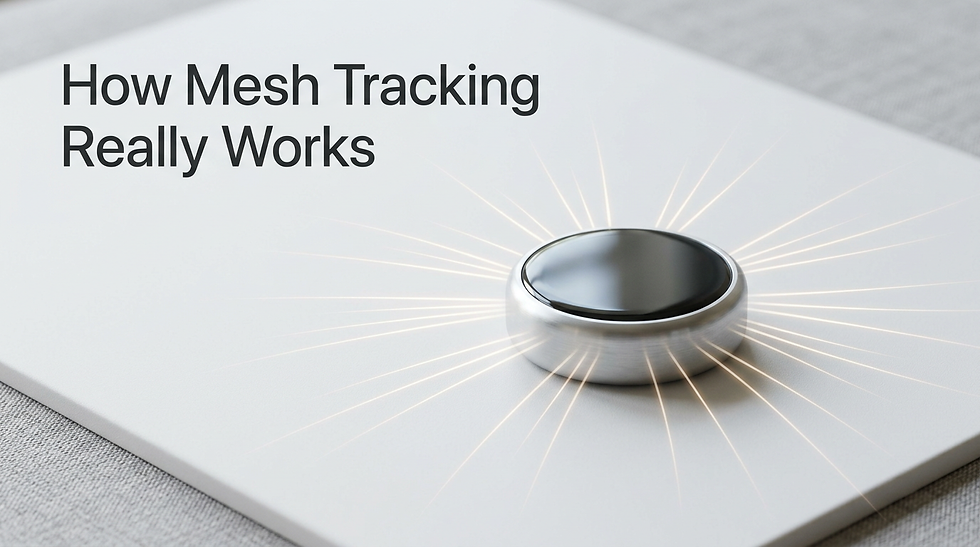
A common misconception is that an airtag apple accessory operates as a miniature GPS transmitter, actively beaming physical coordinates directly to an orbiting satellite. In reality, the hardware is completely blind to its own location. It relies entirely on a passive, crowd-sourced mesh network to calculate where it sits in the physical world. The device functions purely as a persistent Bluetooth and ultra-wideband beacon, whispering an encrypted cryptographic identifier into the surrounding environment at regular intervals. It depends on passing smartphones, tablets, and computers to intercept that beacon, append their own known GPS coordinates to the packet, and securely forward the data to centralized servers. When tracking hardware appears to fail, the issue is rarely a broken internal transmitter; instead, the breakdown usually occurs within the ecosystem syncing process, the ultra-wideband handshake, or the power delivery from a decaying coin-cell battery.
Quick Summary
The Find My mesh network uses passive Bluetooth advertising and ultra-wideband frequencies to route encrypted location data through surrounding ecosystem devices. Understanding these mechanics is essential for isolating synchronization and hardware failures.
Tracking beacons do not contain GPS modules; they rely entirely on proximity to internet-connected ecosystem nodes.
Ultra-wideband precision finding requires unimpeded line-of-sight and is easily disrupted by water or dense metallic enclosures.
Battery decay is non-linear, and thermal drops often trigger false offline statuses by artificially suppressing cell voltage.
Cryptographic desynchronization between the device and iCloud requires physical hardware resets to resolve.
Table of Contents
The Mechanics of AirTag Apple Hardware in the Mesh Network
The foundational protocol that makes ecosystem tracking viable is Bluetooth Low Energy (BLE) payload rotation. Unlike traditional Bluetooth peripherals that pair directly to a single host machine, tracking beacons broadcast a continuously rotating public key. This cryptographic rotation prevents malicious actors from spoofing or physically cloning the beacon's identity. Every few minutes, the beacon generates a new identifier and broadcasts it over the 2.4 GHz spectrum. Any modern ecosystem device passing within approximately thirty feet captures this identifier.
Once intercepted, the passing device bundles the beacon's public key with its own current GPS coordinates, encrypts the entire package, and quietly uploads it to iCloud servers. This background relay process consumes minimal processing power and bandwidth, allowing billions of active devices to act as anonymous relay nodes. Because the location payload is encrypted end-to-end, neither the owner of the passing relay device nor the central servers can read the coordinates; only the device owner holding the corresponding private key can decrypt the final map location.
For close-range localization, the hardware shifts from standard Bluetooth to ultra-wideband (UWB) communication via an onboard U1 processor. Ultra-wideband operates on a significantly higher frequency spectrum, spanning from 6 GHz to 8.5 GHz. Instead of measuring pure signal strength to guess distance, UWB utilizes Time of Flight (ToF) calculations. By timing exactly how many nanoseconds a radio pulse takes to travel between the tracker and the searching handset, the system calculates distance and spatial direction down to the centimeter.
How the Apple Devices App Mac Ecosystem Processes Location Data
While mobile handsets serve as the primary roving nodes in the Find My mesh, stationary computers play a crucial role in maintaining network fidelity. The apple devices app mac integration relies heavily on the macOS background processes to validate, cache, and update location vectors. When a MacBook or desktop machine is active, its continuous connection to stable Wi-Fi makes it an incredibly reliable anchor point for surrounding beacons.
Even when a machine enters sleep mode, modern architectural designs allow the wireless network card to remain in a low-power listening state. If a beacon pings near a sleeping laptop, the system wakes just enough to process the BLE packet and forward it through the established network connection. Understanding how these machines participate in the broader network rules is detailed heavily in Inside the Apple Ecosystem: How Devices Sync and Why Specialized Maintenance Matters. If the internal syncing daemon on macOS becomes corrupted or stalls, the machine will stop relaying proximity beacons entirely, creating artificial blind spots in homes or offices where the machine resides.
You can manually verify whether a desktop machine is successfully acting as a relay node by checking the system's location services preferences. If the primary Find My daemon lacks the correct read and write permissions, it will fail to decrypt incoming owner keys and subsequently drop the location cache entirely.
Tracing Connectivity Drops to Three Distinct Failures
When tracking hardware fails to update its location for hours or days, users typically jump to replacing the battery. However, persistent offline statuses usually stem from three distinct failure modes that share identical symptoms but require vastly different interventions.
The first common failure is a corrupted cryptographic cache. The beacon continuously rotates its BLE keys, but if the iCloud servers fail to synchronize the expected key sequence with the owner's viewing device, the beacon will broadcast locally but appear offline on the map. The system sees the beacon but no longer recognizes it as belonging to the account. This requires completely clearing the backend pairing cache, a process detailed in How to remotely disable Apple s Find My service on your device.
The second failure mode involves environmental signal absorption. Ultra-wideband frequencies are highly susceptible to dense physical barriers. While standard 2.4 GHz Bluetooth can penetrate drywall and fabric with moderate degradation, the 6 to 8.5 GHz UWB frequencies are immediately absorbed by water, human tissue, and heavy metal enclosures. Placing a beacon deep inside a heavily shielded automotive trunk or inside dense diving gear will completely break the U1 handshake, rendering precision finding inoperable even if the user is standing two feet away.
Practical rule: To determine if an offline status is caused by environmental shielding rather than hardware failure, use a standard Bluetooth scanner application on a laptop to search for unnamed BLE devices; if the signal is visible on the scanner but absent from your map, the issue is cryptographic desynchronization, not signal absorption.
The third failure is localized firmware stranding. Beacons do not update themselves directly from the internet; they pull fragmented firmware payloads silently from connected host devices over a period of weeks. If a beacon is left in a location surrounded exclusively by devices running severely outdated operating systems, the handshake protocols may eventually fall out of alignment. Keeping base ecosystem hardware functional and updated is critical, a concept outlined in The benefits of Apple authorized repairs in Toronto why it matters for your Mac.
The Battery Decay Curve in Apple Tracking Nodes
Tracking nodes utilize standard CR2032 lithium coin cell batteries, which operate on a specific and relatively fragile voltage curve. Unlike the complex lithium-ion packs found in laptops and smartphones that report exact percentage metrics to the operating system, a coin cell lacks an intelligent battery management system. The beacon determines its battery health purely by measuring raw voltage output during a high-draw transmission spike.

A fresh CR2032 cell outputs roughly 3.0 volts. As the chemistry degrades over ten to twelve months, this voltage slowly trends downward. Once the cell dips below the 2.2-volt threshold during a broadcast, the beacon flags a low-battery state and pushes an alert to the ecosystem. However, this measurement is heavily influenced by ambient conditions, similar to the chemical stress factors seen in larger power systems detailed in Reliable MacBook Battery Replacement Services in Canada.
When a cell experiences extreme cold, the internal resistance spikes, causing a temporary but severe voltage drop. If the beacon attempts a broadcast while frozen, the voltage will sag well below 2.2 volts, triggering an immediate low battery alert even if the cell is only a month old.
Practical rule: Always wipe the contacts of a new CR2032 replacement battery with a microfiber cloth and high-concentration isopropyl alcohol before installation; the bitterant coating applied by battery manufacturers to deter accidental ingestion acts as a powerful electrical insulator and will routinely block the hardware from powering on.
Replacing the battery also physically reboots the hardware, which can sometimes clear minor RAM errors inside the U1 processor. However, if the contacts inside the battery housing are bent or heavily oxidized from humidity exposure, a new battery will not resolve the power loss.
Comparison Table: Resolving Persistent Offline Statuses
Understanding the nuanced differences between offline behaviors prevents unnecessary battery replacements and wasted diagnostic time. Use the following breakdown to isolate the correct failure mode.
Observable Symptom | Primary Diagnostic Cause | Immediate Recommended Action |
|---|---|---|
Hardware plays a chime randomly when moved | Anti-stalking separation trigger | Bring the device near its paired host handset to clear the security alert. |
Location updates, but Precision Finding fails | UWB interference or U1 chip drop damage | Ensure a clear line of sight; remove dense metal keychains or casings. |
Device shows 'Offline' for multiple days | Dead CR2032 cell or cryptographic desync | Replace the battery; if still offline, remove and re-add to the ecosystem account. |
'Battery Low' alert appears immediately | Insulating bitterant coating on the new cell | Remove the battery, clean both sides with isopropyl alcohol, and reseat. |
Scanner sees BLE signal, but map is empty | Corrupted iCloud pairing cache | Perform a hard physical hardware reset and repair the node completely. |
Regional Nuances for Apple AirTag Canada Operations
Operating location hardware in extreme environments shifts how reliable the network ultimately proves to be. A common challenge for an apple canada airtag deployment involves the severe thermal swings during winter months. As previously noted, the CR2032 lithium chemistry is highly sensitive to freezing temperatures. A beacon left inside a vehicle overnight in -20°C weather will almost certainly fail to report its location by the morning. The extreme cold forces the battery voltage down, effectively putting the logic board to sleep to prevent a brownout.
Once the ambient environment warms, the internal resistance of the coin cell drops, the voltage recovers naturally, and the beacon will quietly resume pinging the network without any user intervention. Users operating in cold climates must expect these temporary offline periods and avoid prematurely discarding perfectly healthy batteries.
Furthermore, the density of the Find My mesh relies entirely on population concentration. In dense urban centers, a lost apple airtag canada node will likely be pinged dozens of times per minute by passing pedestrians. In rural or highly remote areas, the system completely loses its effectiveness. Without passing ecosystem hardware, the beacon operates in total isolation. If you rely on this hardware for remote logging, understand that the map will only show the exact location and timestamp of the last time an internet-connected device came within thirty feet of the tag.
Hardware Resets vs Ecosystem Unpairing
When a beacon fails permanently, distinguishing between a required hardware reset and a required software unpairing is essential. The hardware is secured by Activation Lock, meaning it is cryptographically tethered to a specific user account. If you attempt to factory reset the hardware physically without first removing it from the account, the device will simply reboot and immediately lock itself down, refusing to pair with any new host.
A physical factory reset requires taking the battery out and pressing it back into the terminal until the device chimes, repeating the process exactly five times. This clears the local memory cache on the logic board, forcing the beacon to broadcast a fresh pairing request. However, if the hardware suffers from severe physical trauma or logic board trace damage, no amount of resetting will restore network functionality. For underlying logic board limitations, specialized evaluation is required, similar to the logic limits outlined in Comprehensive Mac repair services in Toronto your guide to Mac troubleshooting in Toronto.
If the tracking hardware is being transferred to a new owner, it must be removed from the original owner's account while the device is in physical Bluetooth range of the host. If it is removed remotely while out of range, the hardware will retain the old cryptographic keys locally. The new owner will not be able to pair it until they perform the five-step battery reset. Proceeding with hardware transfers requires extreme care to avoid triggering permanent Activation Lock states, which share similarities with the broader security lockouts encountered prior to proceeding with Mac iCloud Removal services.
FAQ
Why does my tracking hardware chime randomly when I pick it up?
Tracking beacons are programmed to chime when they are moved if they have been separated from their paired host device for an extended period. This is an anti-stalking safety feature designed to alert nearby individuals of an unknown, moving beacon in their vicinity.
How do I force a firmware update on a tracking node?
You cannot manually trigger a firmware update. Firmware payloads are delivered passively in the background when the beacon is in close physical proximity to its paired host device while the host is connected to a reliable Wi-Fi network.
Can a single tracking beacon be registered to multiple different accounts?
Modern firmware updates allow a single tracking beacon to be shared within a designated family sharing group, permitting multiple ecosystem users to view its live location. However, it cannot be registered to completely separate, unlinked primary accounts simultaneously.
Does extreme cold permanently damage the internal battery chemistry?
While extreme freezing temperatures temporarily spike internal resistance and drop the operating voltage to zero, it rarely causes permanent chemical damage to a CR2032 lithium cell. Once returned to room temperature, the cell usually regains its normal voltage curve.
What happens to the tracking capabilities if the internal speaker breaks?
If the internal voice coil or speaker membrane fails, the device will still broadcast its Bluetooth and UWB location payloads normally. It will successfully report its location on the map, but you will not be able to utilize the audible ping feature to locate it under cushions or in dense grass.


Comments