


PC Repair Toronto: Windows Fixes at Our Mac and PC Shop
Doctor Mac is an Apple repair shop at 727 Bloor St W, a short walk from Christie Station in Koreatown. Most people who walk in are carrying a MacBook with a cracked screen or a battery that dies at 40 percent. What surprises a fair number of them is that the same bench also takes in Windows laptops and desktops. The failures that bring a computer in for service are rarely brand specific. A hinge wears out, a drive fills up with bad sectors, a fan clogs with dust, a charging port stops making contact. Those problems look the same inside a Dell as they do inside a MacBook, and the tools that fix them are the same tools.
Toronto has no shortage of computer repair options, and the local market shifts constantly. Some long-running PC shops have closed their doors in recent years, including PCNix, which announced it was winding down operations in June 2024. That leaves plenty of Windows owners looking for a bench that will actually open the machine, diagnose it properly, and give a straight answer about whether the repair is worth doing.
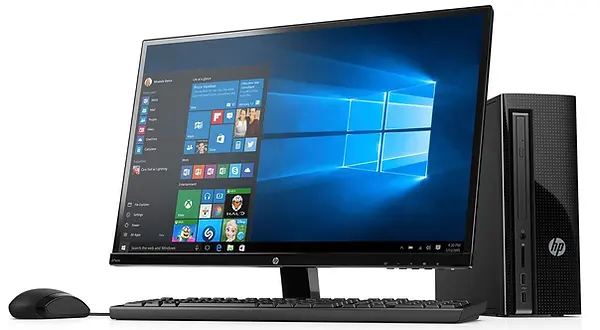
Why a Mac shop takes on Windows repair in Toronto
Apple hardware is the specialty, not a limitation. The work that comes through the door on a Mac is mostly hardware: screens, batteries, keyboards, trackpads, storage, liquid damage, logic boards. Windows machines break in exactly the same places, and the diagnostic habits built up on Apple gear carry over cleanly. Disassembly order, connector types, and firmware details differ, but the reasoning does not. Find the failed component, confirm it is the cause, replace or repair it, then test the machine under load before it goes back to the customer.
There is also a practical angle for the customer. A great deal of PC repair in Toronto is quoted as a flat service fee before anyone has opened the machine, and that fee often assumes the worst. A shop that spends its days doing component-level Mac work tends to approach a Windows machine the same way: inspect first, then talk about what the repair actually involves.
Windows laptop repairs we handle
Laptops are where the majority of repair work lives, on both platforms. The parts that fail are predictable, and most of them can be replaced without touching the operating system or the files on the drive.
Cracked screens and display faults
A drop that cracks the panel, a black screen with the machine clearly still running, flickering, lines across the display, or a backlight that comes and goes. Screen replacement on a Windows laptop usually means swapping the whole assembly or the bare panel, depending on how the model is built, and the correct part number matters more than it does on a Mac. Some machines use a 30-pin or 40-pin connector with a specific pinout, and a mismatched panel will either not light up or will light up with the wrong colours. Bring the machine in and let the display be identified before a part is ordered.
Batteries, chargers, and power problems
Windows laptops degrade the same way MacBooks do. Capacity drops, the machine shuts off without warning, the battery swells and lifts the trackpad or the bottom cover, or the laptop only runs with the charger attached. Charging problems are often the DC jack rather than the battery, and a worn barrel connector is a cheap and satisfying fix. Where the battery has swollen, stop using the machine, because a swollen cell puts pressure on the chassis and the touchpad assembly.
Keyboards, trackpads, and hinges
Spilled coffee, keys that stopped registering, a trackpad that jumps the cursor, or a hinge that has stiffened to the point where the plastic around it starts to crack. Hinge repair is worth doing early. Left alone, a seized hinge will tear the mounting points out of the lid and turn a small repair into a shell replacement.
Desktop and all-in-one PCs
Towers, small form factor boxes, and all-in-one units all come through the shop. Common desktop work includes failed power supplies, graphics cards that no longer output a signal, memory that fails under load, storage that has reached end of life, and cooling that has stopped doing its job, which shows up as a machine that is loud, hot, and slow. All-in-ones sit closer to laptop repair in practice, since the screen and the internals share one chassis and disassembly takes patience.
Slow computers: storage and memory upgrades
The single biggest improvement for an older Windows machine is usually moving from a spinning hard drive to a solid state drive. Boot times, application launches, and Windows updates all benefit, and a machine that felt ready for replacement often becomes perfectly usable again. Adding memory helps when the machine is constantly swapping, which shows up as a drive that never stops working and a system that stalls when several browser tabs are open. In both cases the existing data can normally be cloned across so the user signs in to the same desktop with the same files, rather than starting from a blank Windows install.
Windows problems that are not hardware
Not every slow or broken PC needs a part. Failed updates, boot loops, corrupted system files, driver conflicts, malware, and a Windows installation that has simply degraded over years of use are all software problems. These are handled with a repair install where possible, a clean installation where it is not, and a full backup of the user's files before anything is wiped. If the machine will not boot at all, the drive can be pulled and read separately so documents, photos, and mail archives are recovered before the operating system is rebuilt.
Liquid damage and board-level work
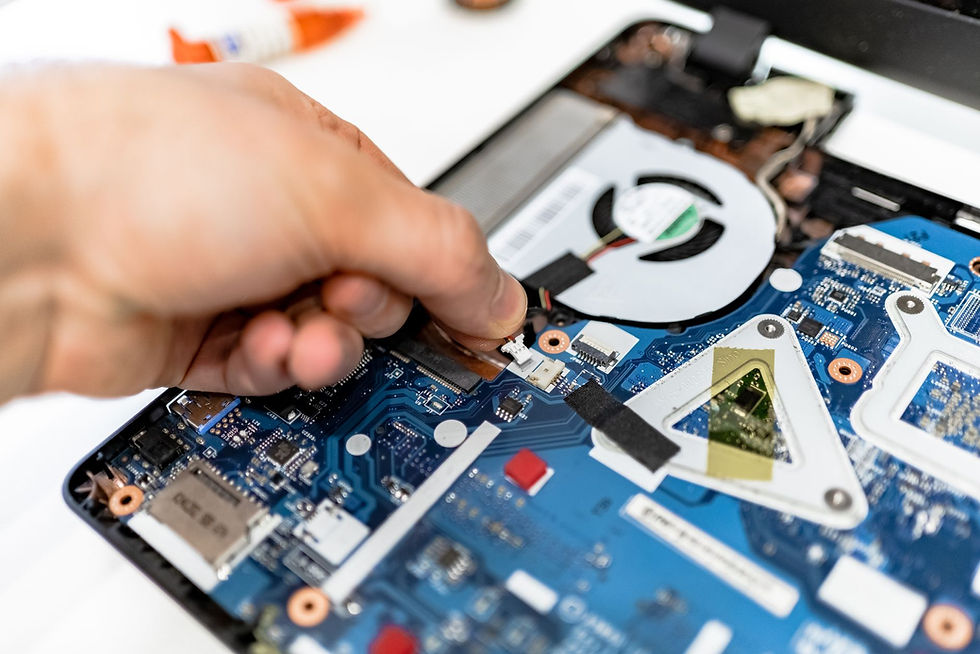
Spills are not an Apple-only problem. Liquid damage on any laptop needs the same response: power off, do not charge it, and get it looked at before corrosion spreads. Cleaning and board-level repair are part of the shop's regular work on Mac logic boards, and the same approach applies to PC mainboards where a failed component can be identified and replaced instead of the whole board being written off.
Data recovery when a PC will not start
A drive that clicks, a machine stuck on a manufacturer logo, or a Windows install that blue screens on boot all raise the same question: can the files be saved? Drives are pulled and read on a separate system, and the recovered data is transferred to new storage. The earlier a failing drive is brought in, the better the odds, since continued attempts to boot from a dying disk tend to make things worse.
A quick guide to common symptoms
Symptom | Likely area | What gets checked |
No display but the machine powers on | Display or cable | Panel, video cable, external monitor test |
Only runs with the charger connected | Battery or charging circuit | Battery health, DC jack, charger output |
Very slow, drive always busy | Storage or memory | Drive health, memory test, startup load |
Shuts down under load | Cooling or power supply | Fan function, dust build-up, thermal readings |
Will not boot past the logo | Software or drive | Drive read test, Windows repair options |
What a repair visit looks like at PC Repair Toronto
Bring the machine to 727 Bloor St W, along with the charger if the problem involves power or charging.
The machine is inspected and the fault is confirmed before any part is ordered.
You get an explanation of what failed and what the repair involves, and the job only proceeds once you agree.
Hardware work is completed, then the machine is tested, including the keyboard, ports, display, and charging.
Your files stay where they are unless a reinstall is part of the plan, in which case they are backed up first.
Turnaround, warranty, and what to expect on price
Many jobs are finished the same day, and straightforward repairs are sometimes done within an hour, depending on part availability and how busy the bench is. Work is covered by a 90-day warranty. Pricing depends on the model and the parts required, so it is worth asking for a quote for your specific machine rather than comparing against a generic figure. For anyone weighing a repair against a new purchase, the honest comparison is the cost of the fix against the cost of a replacement that does everything the current machine does.
Getting to the shop
The shop sits on Bloor Street West in Koreatown, close to Christie Station, which makes it reachable from the Annex, Midtown, and most of downtown by subway. If you are carrying a desktop tower, a small form factor box, or an all-in-one, call ahead so the bench has space and the right tools ready when you arrive.
Frequently Asked Questions
Do you repair Windows laptops as well as Macs?
Yes. The shop specializes in Apple hardware but takes in Windows laptops and desktops for the same categories of work: screens, batteries, charging ports, keyboards, hinges, storage and memory upgrades, liquid damage, and data recovery. The diagnosis comes first, so you know what failed and what the repair involves before anything is ordered or replaced.
How long does a PC repair take?
Many jobs are completed the same day, and simple repairs are sometimes finished within an hour. Timing depends on the fault and on whether a replacement part has to be ordered for that specific model. Calling ahead with the model number helps confirm part availability before you make the trip to the shop.
Will I lose my files during a Windows repair?
Hardware repairs such as a screen, battery, or keyboard replacement do not touch the drive, so files stay in place. When a Windows reinstall or drive replacement is needed, data is backed up or cloned first wherever the drive can still be read. If the drive itself has failed, recovery is attempted before any other work begins.
Can you fix a desktop PC or only laptops?
Desktops are welcome, including towers, small form factor systems, and all-in-ones. Power supply failures, graphics card faults, memory errors, storage upgrades, and cooling problems are all part of the work. Call ahead before bringing in a tower or all-in-one so the bench has room for it.
Is there a warranty on PC repairs?
Repairs are covered by a 90-day warranty. Keep the receipt, since it is what the warranty is checked against. If something related to the repair acts up inside that window, bring the machine back and have it looked at rather than trying a fix at home.


Comments