


How to Choose the Best Mac Repair Shop in Toronto 10 Things to Check
A Mac repair can go from simple to stressful fast. One shop says it’s the battery. Another says it’s the logic board. Someone else wants payment before they’ll even explain the issue.
Here’s the short version: 10 Things to Check before you leave your Mac, MacBook, iMac, or Mac mini with any repair shop in Toronto, Markham, Mississauga, or downtown.

1. Check whether they actually specialize in Macs
A general electronics shop might be fine for simple work. But Macs have their own parts, layouts, screws, diagnostics, and repair quirks.
A good Mac-focused shop should be comfortable with common Apple repairs like:
MacBook screen replacement
Battery replacement
Keyboard or trackpad issues
Liquid damage inspection
Charging port problems
Data recovery checks
macOS startup issues
iMac storage upgrades or repairs
Ask a simple question before booking:
“Do you repair this exact Mac model often?”
Give them the model, year, and issue if you know it. For example, “MacBook Pro 13-inch, 2020, not charging.” A strong shop won’t give you a vague answer. They’ll ask follow-up questions and explain what they’ll test first.
Practical tip: Click the Apple menu, then About This Mac, if your device still turns on. Take a photo of the model details before bringing it in.
2. Make sure they offer a clear diagnosis before repair
A serious repair shop doesn’t guess. It diagnoses.
That matters because the same symptom can come from different causes. A MacBook that won’t turn on could have a bad battery, a damaged USB-C port, a logic board fault, or liquid damage. A slow iMac could need storage service, RAM help, software cleanup, or all three.
Before leaving your device, ask:
Is there a diagnostic fee?
Is that fee credited toward the repair?
Will I get a quote before any work starts?
Will you explain what failed?
Can I decline the repair after the diagnosis?
A good Mac Repair Shop in Toronto should be able to walk you through the process without pressure.
Watch out for shops that jump straight to “replace the motherboard” without testing. That can be one of the most expensive answers, and it isn’t always the right one.
3. Ask if they use quality parts
Parts matter. A cheap screen, weak battery, or low-quality charger port can create new problems later.
You don’t need to become a parts expert. Just ask direct questions:
“Are the replacement parts original, pulled, refurbished, aftermarket, or premium aftermarket?”
There’s nothing wrong with a shop using high-quality aftermarket parts when they’re honest about it. The issue is when a shop hides what they’re installing or charges premium prices for low-grade parts.
For MacBook batteries, ask about cycle count, age, and warranty. For screens, ask about brightness, colour quality, camera compatibility, and whether True Tone will work if that applies to your model.
Practical tip: Get the parts description on your invoice. Even a short note helps if you need warranty support later.

4. Look for a written warranty on the repair
A repair warranty tells you the shop stands behind the work.
The warranty doesn’t need to cover everything forever. It also won’t cover new damage, drops, spills, or unrelated issues. But it should clearly cover the specific repair and part for a stated period.
Ask these questions:
How long is the warranty?
What exactly does it cover?
Does it cover both parts and labour?
What voids the warranty?
Do I need the original receipt?
Be careful with vague promises like “Don’t worry, we’ll take care of you.” That sounds nice, but it doesn’t help if the part fails two weeks later and nobody remembers the conversation.
A trustworthy shop will put the warranty in writing. It can be printed on the invoice or sent by email. Either way, keep it.
5. Read reviews for patterns, not perfection
Every repair shop can get a bad review. That’s normal. What matters is the pattern.
Look for reviews that mention the exact things you care about:
Honest diagnosis
Fair pricing
Clear communication
Fast turnaround
Data care
Warranty support
No surprise charges
Also read how the shop responds to complaints. A calm, useful reply says more than a perfect rating. Defensive or rude replies are a bad sign.
For Toronto, it also helps to check location-specific comments. A shop in downtown Toronto may be convenient if you work nearby. A Markham or Mississauga shop might be easier if you drive and need parking. Convenience matters, but don’t let it beat trust.
Practical tip: Search reviews for your device issue, such as “MacBook battery,” “liquid damage,” “screen replacement,” or “data recovery.”
6. Ask about data privacy before handing over your Mac
Your Mac may hold photos, tax files, passwords, client work, personal notes, and messages. Treat it like a private device, not just a piece of hardware.
Before repair, ask how the shop handles customer data.
Good answers sound like this:
“We only access what we need to test the issue.”
“We can test with an external system when possible.”
“We’ll ask before resetting or erasing anything.”
“We recommend backing up first.”
“We don’t need your password for many hardware repairs.”
Some repairs need login access for testing. Others don’t. If the shop asks for your password, ask why. You can also create a temporary user account if your Mac still works.
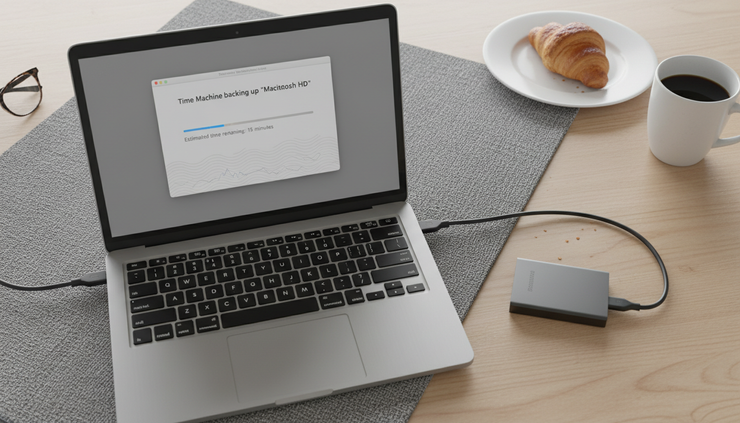
Back up your files before service whenever possible. Use Time Machine, iCloud, an external drive, or another backup method that fits your setup.
7. Compare pricing, but don’t chase the lowest quote
Nobody wants to overpay for a repair. But the cheapest quote isn’t always the best deal.
A very low price can mean:
Low-quality parts
No warranty
Rushed labour
Missing diagnostics
Extra fees added later
Ask for a quote that separates parts and labour if possible. You don’t need a full essay, but you should understand what you’re paying for.
Also ask whether the quoted price includes tax. In Ontario, that matters. A repair that sounds cheaper over the phone may not be cheaper once HST is added.
A fair quote should match the repair. A battery replacement should not feel mysterious. A liquid damage repair may need more testing, so the quote may come after inspection. That’s reasonable, as long as the shop explains the process.
Practical tip: Get two quotes for expensive repairs. If one is much lower or much higher, ask why.
8. Pay attention to how they communicate
The first phone call or message tells you a lot.
Do they answer your questions clearly? Do they explain trade-offs? Do they ask for your Mac model? Do they give realistic timelines?
Good repair communication is simple:
What they’ll check
What it may cost
How long it may take
What could change after inspection
When they’ll contact you
Bad communication sounds rushed, annoyed, or slippery. If a shop won’t explain basic details before they have your Mac, they may not be better after they have it.
This matters even more for urgent repairs. If you need your Mac for school, work, editing, coding, or client files, you need straight answers. A shop doesn’t have to promise miracles. It does need to be honest about timing.
9. Check turnaround time and part availability
Some Mac repairs can be done quickly. Others take longer because parts need to be ordered, testing takes time, or liquid damage needs careful inspection.
Ask for a realistic timeline, not just the fastest possible one.
For example:
Battery repair may be quick if the part is in stock.
Screen replacement depends on the exact model and part.
Liquid damage can take longer because the issue may spread.
Logic board repair needs deeper testing.
Data recovery can be unpredictable.
If you’re comparing shops across Toronto, downtown, Markham, and Mississauga, travel time also counts. A slightly longer repair near home may beat a faster quote across the city if pickup becomes a hassle.
Practical tip: Ask, “If the part is in stock, what’s the usual turnaround? If it isn’t, how long does ordering take?”
10. Trust shops that explain repair options, not just one answer
The best repair shop doesn’t force one path. It gives you options when options exist.
Let’s say your older MacBook needs a major repair. A good technician might explain:
The cost to repair it
The risk of more failures later
Whether data recovery should come first
Whether replacement makes more sense
Which repair is urgent and which can wait
That honesty matters. Sometimes fixing the Mac is the right call. Sometimes putting money into an old machine doesn’t make sense. A shop that says this out loud is doing you a favour.
This is where trust becomes easy to spot. If the shop explains the pros and cons in plain language, that’s a good sign. If every repair is “urgent” and every quote requires immediate approval, slow down.

Quick checklist before you book
Use this before you call or walk in:
Confirm they repair your exact Mac model.
Ask about diagnostic fees.
Ask if they quote before repair.
Ask what parts they use.
Get the warranty in writing.
Read reviews for patterns.
Back up your data.
Ask how they protect privacy.
Confirm price, tax, and timeline.
Notice whether they explain things clearly.
If a shop passes most of these checks, you’re likely in safer hands.
FAQ
Is it better to go to Apple or an independent Mac repair shop?
Apple is a strong option for warranty service, AppleCare+, and certain official repairs. An independent shop can be a good choice for older Macs, out-of-warranty repairs, faster local service, or repair options Apple may not offer. Compare the diagnosis, warranty, price, and data policy.
Should I repair an older Mac or replace it?
Check the repair cost against the age and performance of the Mac. A simple battery or storage repair can be worth it. A costly logic board repair on an older machine may not be. Ask the shop to explain the risk before you spend the money.
Do I need to back up my Mac before repair?
Yes, if you can. Even careful repair shops can’t guarantee data safety in every case, especially when a Mac has power issues, liquid damage, or storage problems. Back up with Time Machine, iCloud, or an external drive before service.
How do I know if a repair quote is fair?
A fair quote explains the part, labour, warranty, and tax. It should also match the model and problem. If the quote is expensive, ask why. If it’s much cheaper than other shops, ask what part they’re using and whether labour is included.
Can a shop repair liquid damage on a MacBook?
Some can, but results vary. Liquid damage can affect the keyboard, trackpad, battery, display, ports, and logic board. A good shop will inspect it first and avoid promising a guaranteed fix before testing.
The best choice is the shop that earns your trust early
Pick the repair shop that explains the issue clearly, gives a written quote, protects your data, uses quality parts, and backs the repair with a real warranty.
That’s the top pick. Not always the cheapest. Not always the closest. The best shop is the one that makes you feel informed before you hand over your Mac.


Comments