


Top Mac Repair Toronto Services: Your Go-To Guide for Apple Device Fixes
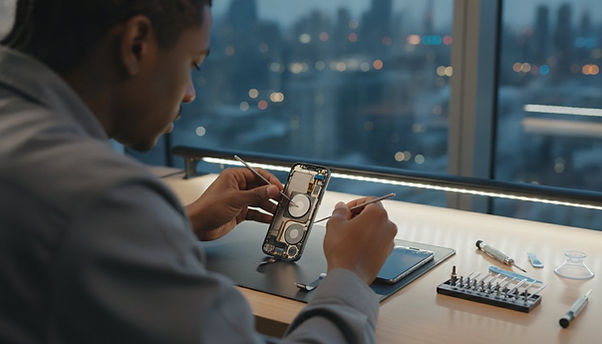
If you own a MacBook, iMac, Mac Mini, iPhone, or iPad in Toronto, you know how important it is to keep your device in top shape. When something goes wrong, you want fast, reliable, and expert repair services. I’ve been there too—frustrated with slow fixes or unclear service options. That’s why I’m sharing everything you need to know about the top Mac repair Toronto services. This guide will help you find the best places to get your Apple devices fixed quickly and professionally.
Why You Need Expert Mac Repair Toronto Services
Apple devices are known for their sleek design and powerful performance. But when they break or slow down, it can feel like your whole digital life is on pause. You might face issues like:
Cracked screens on your MacBook or iPhone
Battery problems causing unexpected shutdowns
Slow performance or freezing apps
Keyboard or trackpad malfunctions
Software glitches or update failures
Trying to fix these yourself can be risky. You might void your warranty or cause more damage. That’s why trusting a professional Mac repair Toronto service is crucial. These experts know Apple products inside and out. They use genuine parts and follow strict repair protocols to get your device back to perfect condition.
What to Look for in a Mac Repair Service
When choosing a repair shop, keep these points in mind:
Certification and experience: Look for technicians certified by Apple or with years of experience.
Fast turnaround: You want your device back as soon as possible.
Warranty on repairs: A good shop stands behind their work.
Transparent pricing: No hidden fees or surprise charges.
Customer reviews: Real feedback from other Apple users in Toronto.
Top Mac Repair Toronto Services: What They Offer
Toronto has many options for Mac repairs, but not all are created equal. Here’s a breakdown of the most common services you’ll find and what to expect:
Screen Repair and Replacement
Cracked or shattered screens are one of the most common issues. Whether it’s your MacBook’s Retina display or your iPhone’s glass, professional repair shops can replace the screen with high-quality parts. Expect:
Same-day or next-day service
Use of genuine or OEM parts
Testing to ensure touch and display work perfectly
Battery Replacement
If your Mac or iPhone battery drains quickly or won’t charge, it’s time for a replacement. Experts will:
Diagnose battery health accurately
Replace with Apple-certified batteries
Calibrate the new battery for optimal performance
Keyboard and Trackpad Fixes
Sticky keys, unresponsive trackpads, or keyboard backlight issues can slow you down. Repair shops can:
Clean or replace faulty keys
Fix trackpad sensors and buttons
Replace keyboard assemblies if needed
Software Troubleshooting and Upgrades
Sometimes the problem isn’t hardware but software. Repair services often include:
Virus and malware removal
macOS reinstallations and upgrades
Data recovery and backup solutions
Other Hardware Repairs
From logic board repairs to camera fixes, many shops offer comprehensive hardware services. They can also help with:
Charging port repairs
Speaker and microphone issues
Wi-Fi and Bluetooth connectivity problems

How to Choose the Best Mac Repair Toronto Service for You
With so many options, how do you pick the right one? Here’s a simple checklist to guide you:
Check credentials: Confirm the technicians’ certifications and experience.
Read reviews: Look for consistent positive feedback on Google, Yelp, or Apple forums.
Ask about parts: Ensure they use genuine or high-quality replacement parts.
Compare prices: Get quotes from multiple shops but beware of prices that seem too low.
Look for warranty: A solid warranty on repairs shows confidence in their work.
Consider location: Choose a shop close to you for convenience.
Evaluate customer service: Friendly, clear communication is a must.
If you want a trusted option, I recommend checking out mac-repair-toronto toronto for reliable and fast service.
Tips to Keep Your Mac and Apple Devices Running Smoothly
Prevention is better than repair. Here are some easy tips to extend your device’s life:
Use a protective case and screen protector to avoid physical damage.
Keep your software updated to fix bugs and improve security.
Avoid extreme temperatures that can harm your battery.
Clean your device regularly with a soft cloth and proper tools.
Back up your data often to avoid loss during repairs or crashes.
Don’t overload your device with unnecessary apps or files.
Following these tips can save you time and money by reducing the need for repairs.

When to Seek Professional Help Immediately
Some issues require urgent attention to prevent further damage:
Your Mac won’t turn on at all
You see strange noises or smells coming from the device
The screen is completely black or flickering
Your device overheats quickly
You notice water damage or liquid spills
In these cases, stop using the device and contact a professional Mac repair Toronto service right away. Quick action can save your device and data.
Keeping Your Apple Devices in Top Shape with Trusted Repairs
Your Apple devices are more than just gadgets - they’re tools that keep you connected, productive, and entertained. When something goes wrong, don’t settle for less than expert care. The right Mac repair Toronto service will get you back on track fast, with quality repairs and friendly support.
Remember, whether it’s a cracked screen, battery issue, or software glitch, there’s a trusted repair shop ready to help. Use this guide to find the best service near you and keep your Macs, iPhones, and iPads running smoothly for years to come.


Comments